Menu

Availability: Low stock: 41 left
Couldn't load pickup availability


Acceleration: 10 G
Battery Included: No
Brand Name: Rapoo
Choice: yes
DPI: 4000
Hand Orientation: Right
High-concerned chemical: None
Interface Type: USB
Movement speed, IPS: 30
Number of Buttons: 9
Number of Rollers: 2
Operation Mode: Laser
Origin: Mainland China
Package: Yes
Power Type: Rechargeable
Type: Bluetooth Wireless
Notice 1:
Please note that the MT760/ MT760L is shipped at random.
There is no difference between MT760 and MT760L; they differ only in name.
Notice 2:
Please note that the MT760Mini/ MT760M is shipped at random.
There is no difference between MT760Mini and MT760M; they differ only in name.
Notice 3:
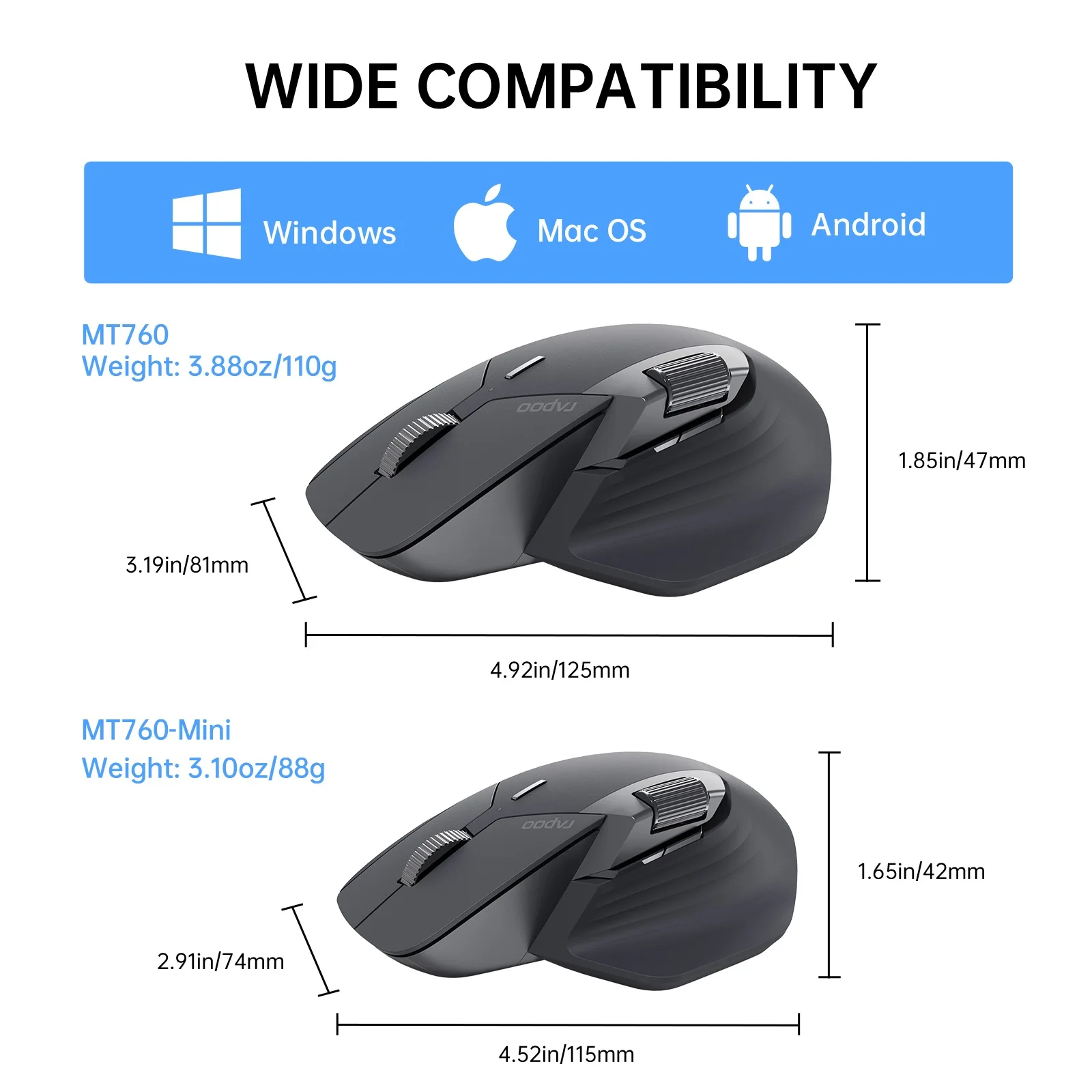
MT760 (MT760L) and MT760Mini (MT760M) differ only in size and weight:
MT760/ MT760L (suitable for medium to large hands):
Product Size: 4.92in x 3.19in x 1.85in / 125mm x 81mm x 47mm
Product Weight: approx. 110g/3.88oz
MT760Mini/ MT760M (suitable for small hands):
Product Size: 4.52in x 2.91in x 1.65in / 115mm x 74mm x 42mm
Product Weight: approx. 88g/3.10oz
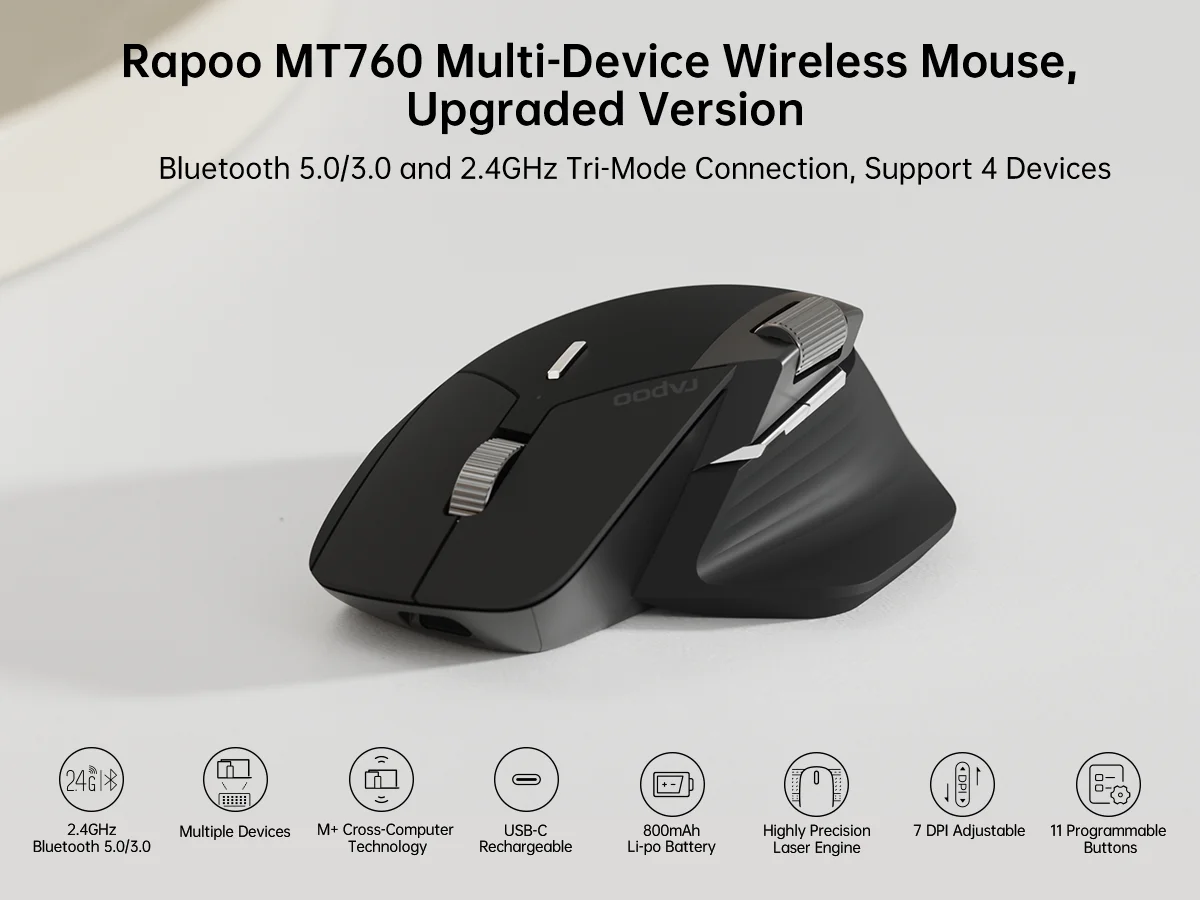
Rapoo MT760 Multi-Device Wireless Mouse Bluetooth Computer Mouse 11 Programmable Buttons 90 Days Battery Life
Bullet Points:
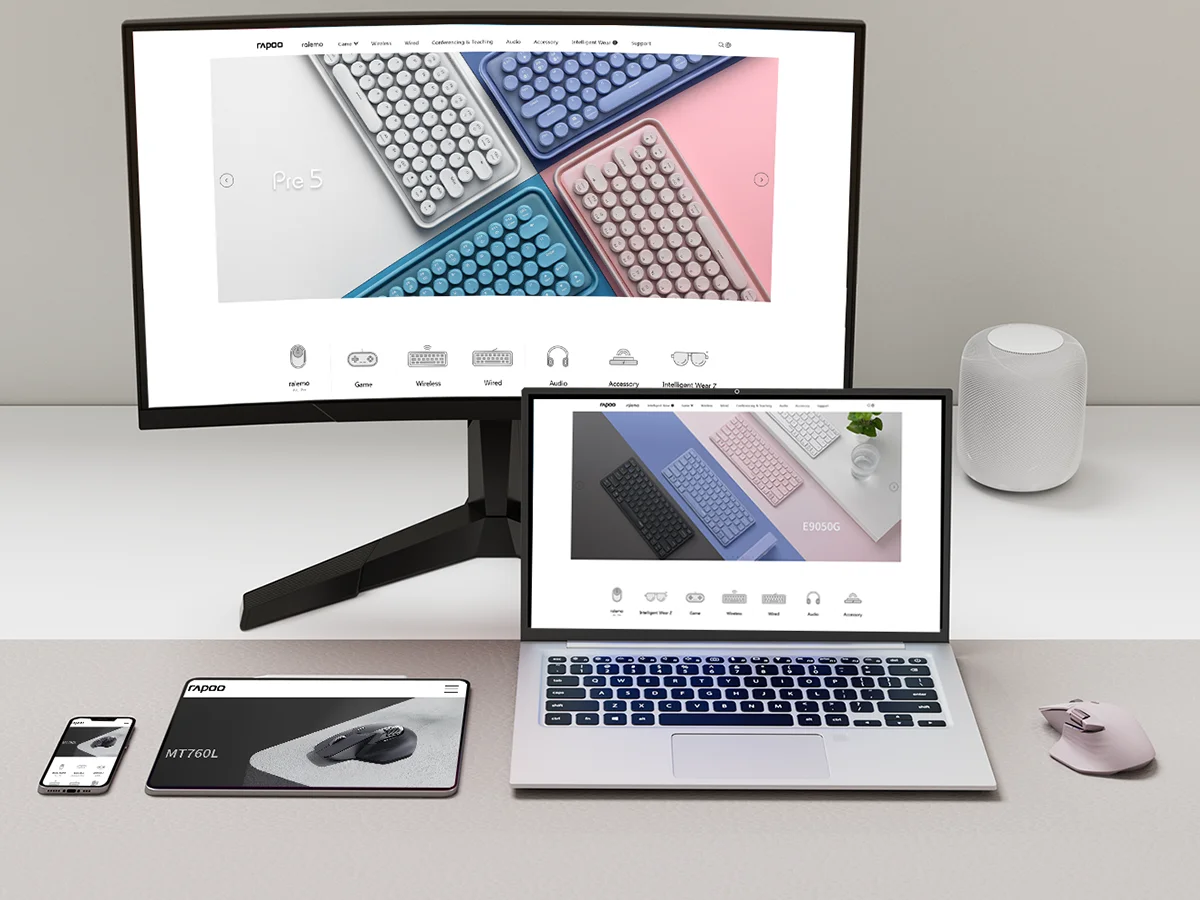
Multi-Device Wireless Mouse: Pair with and quickly switch between 4 devices via Bluetooth or the included USB dongle. Frees up your laptop’s USB ports for charging phones or other devices, and enables a wireless way to work with older desktop computers that do not have Bluetooth.
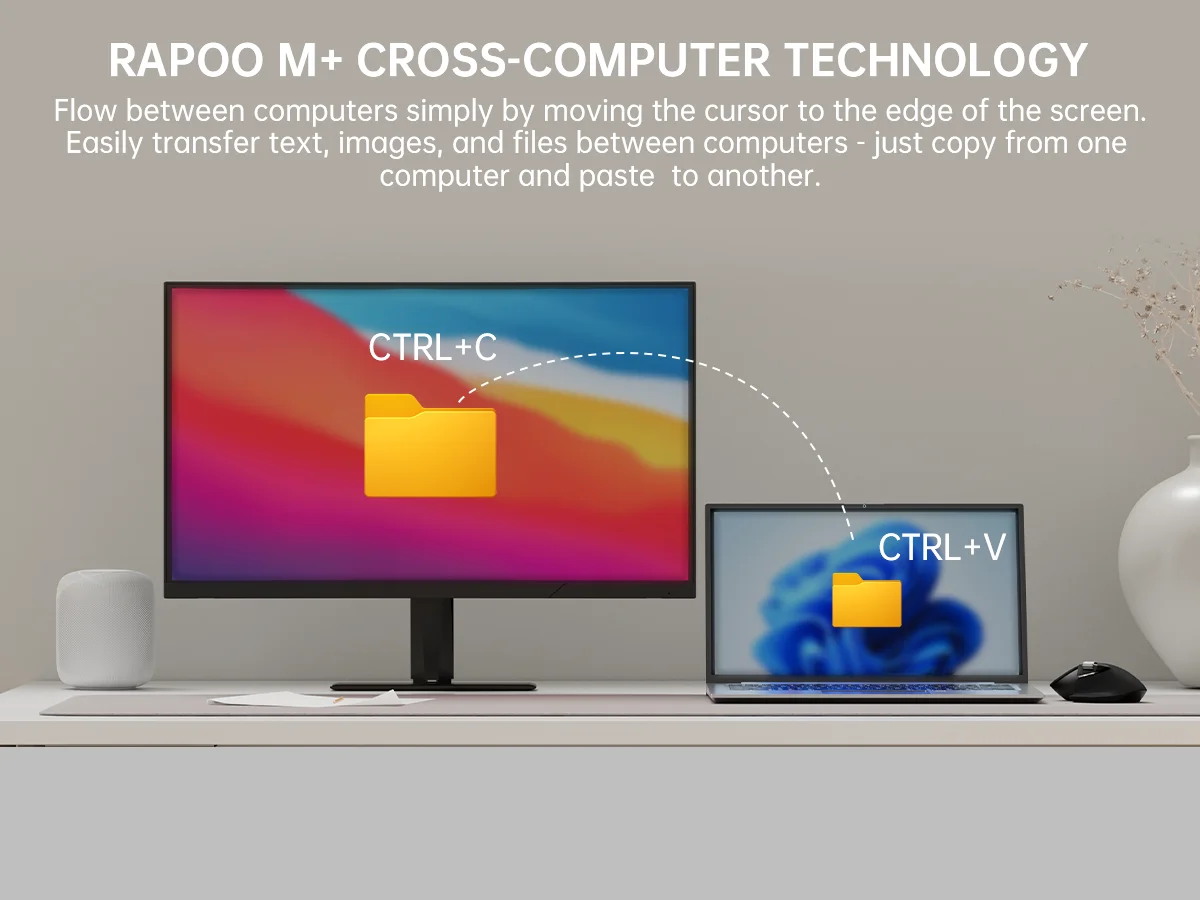
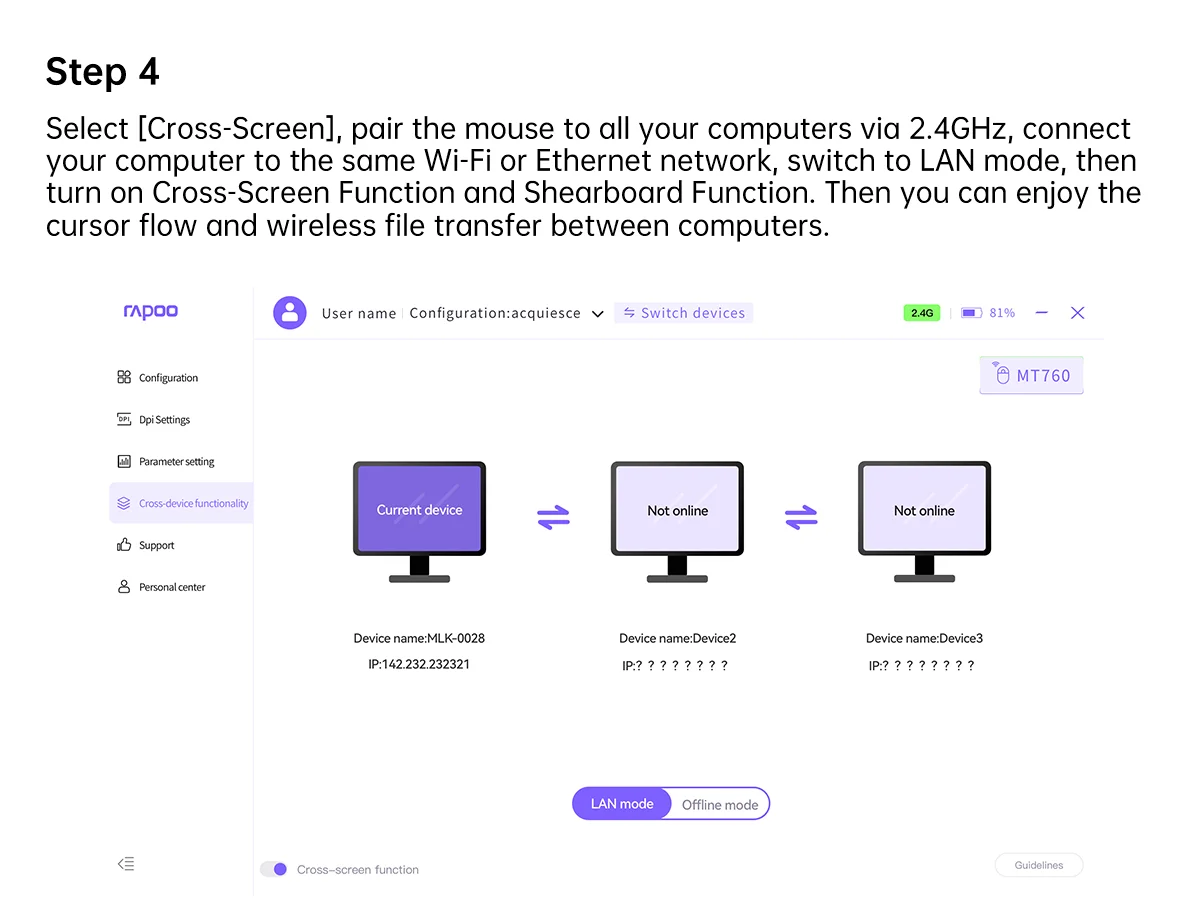
M+ Cross-Computer Technology: Seamlessly use and control multiple computers by moving the cursor to the edge of your screen, automatically switching between screens to handle multiple tasks at the same time. Wirelessly transfer files between computers: simply copy on one computer and paste on the other, eliminating the need for cloud services, emails, or USB flash drives. [Requires mouse driver installation and computers connected to the same Wi-Fi or Ethernet network].
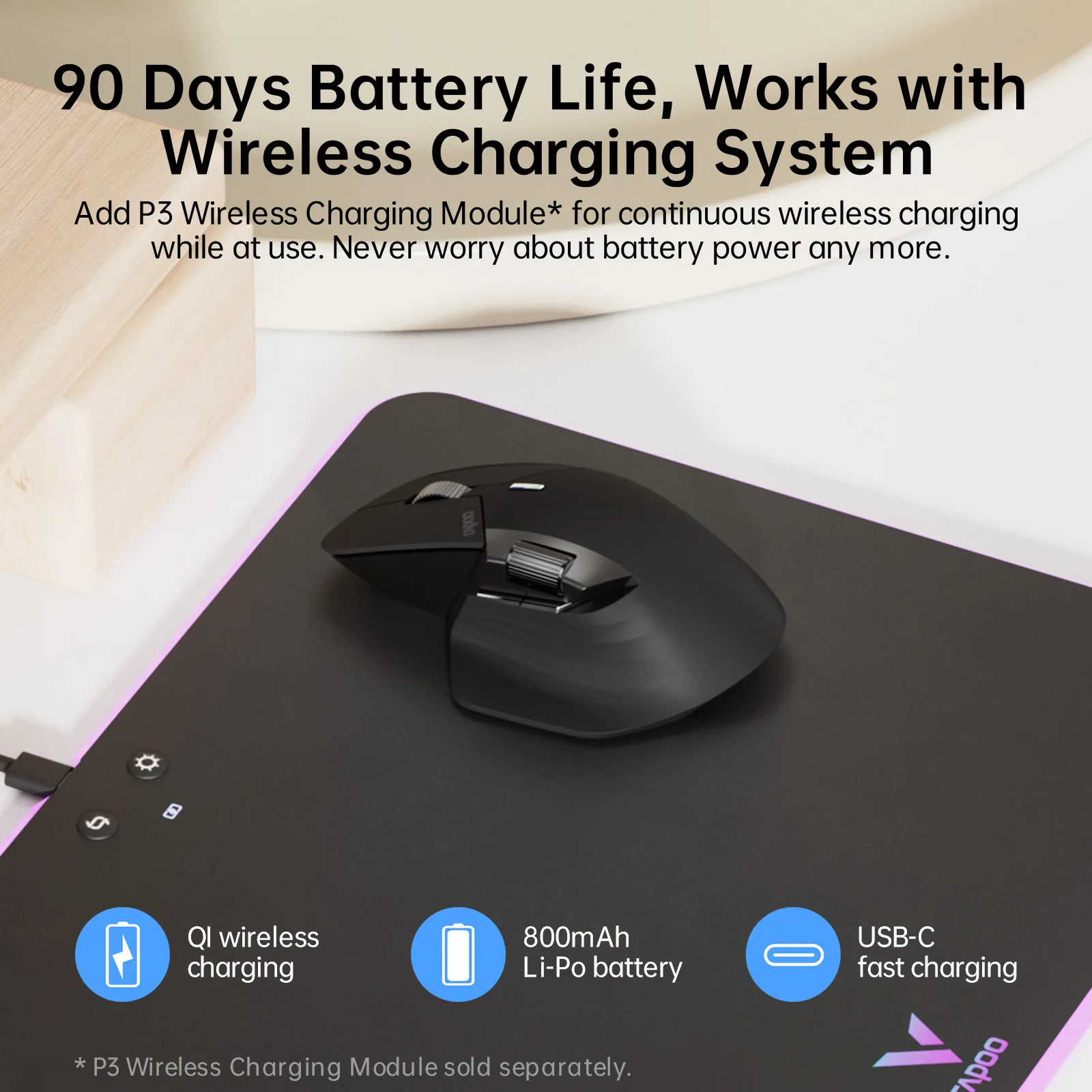
Long-Lasting Battery Life: 800mAh Li-Po battery, USB-C fast charging, lasts up to 90 days. [Battery life may vary depending on usage frequency and device conditions].
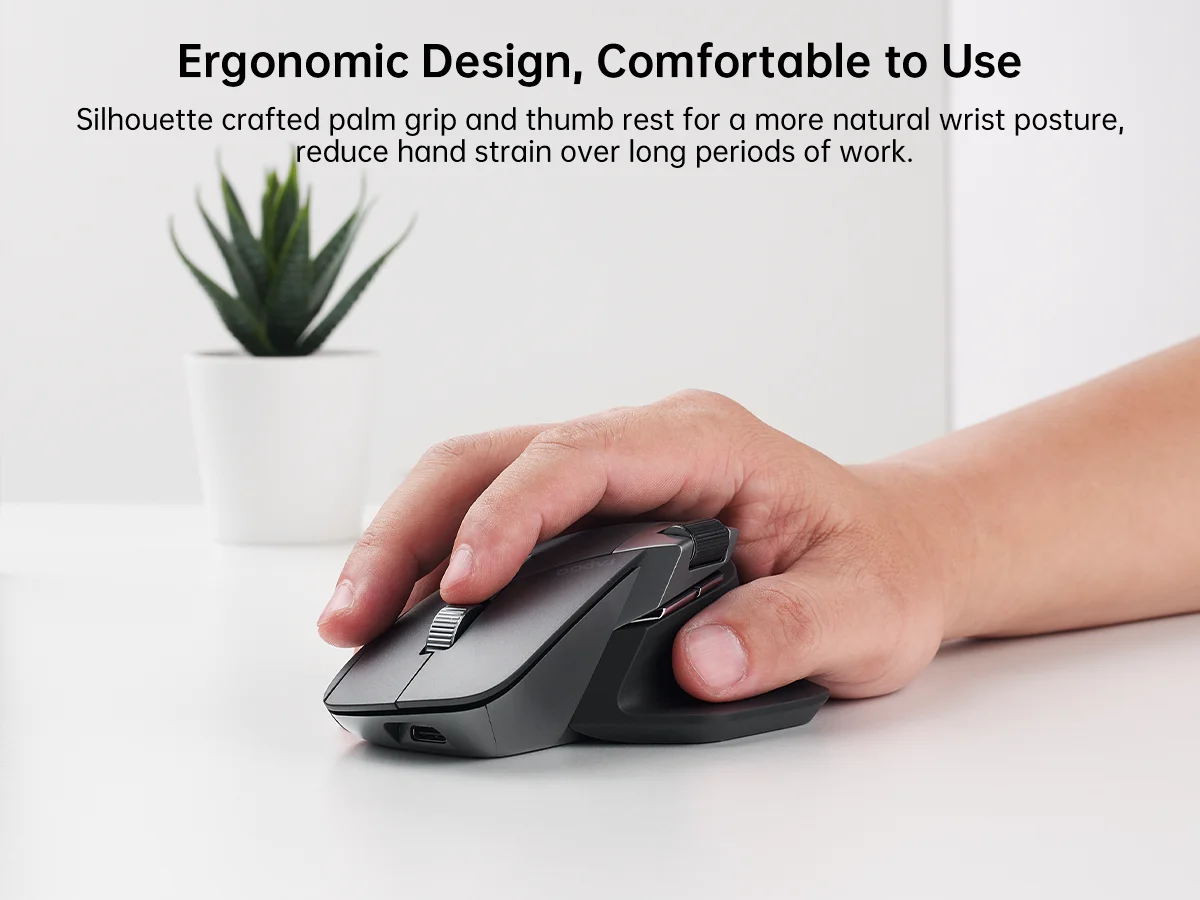
Comfortable: Fits all grip styles and hand sizes, especially for users with larger hands. Its refined ergonomics make this wireless mouse gentle on hardworking wrists, while the matte finish remains comfortable for intensive daily use.
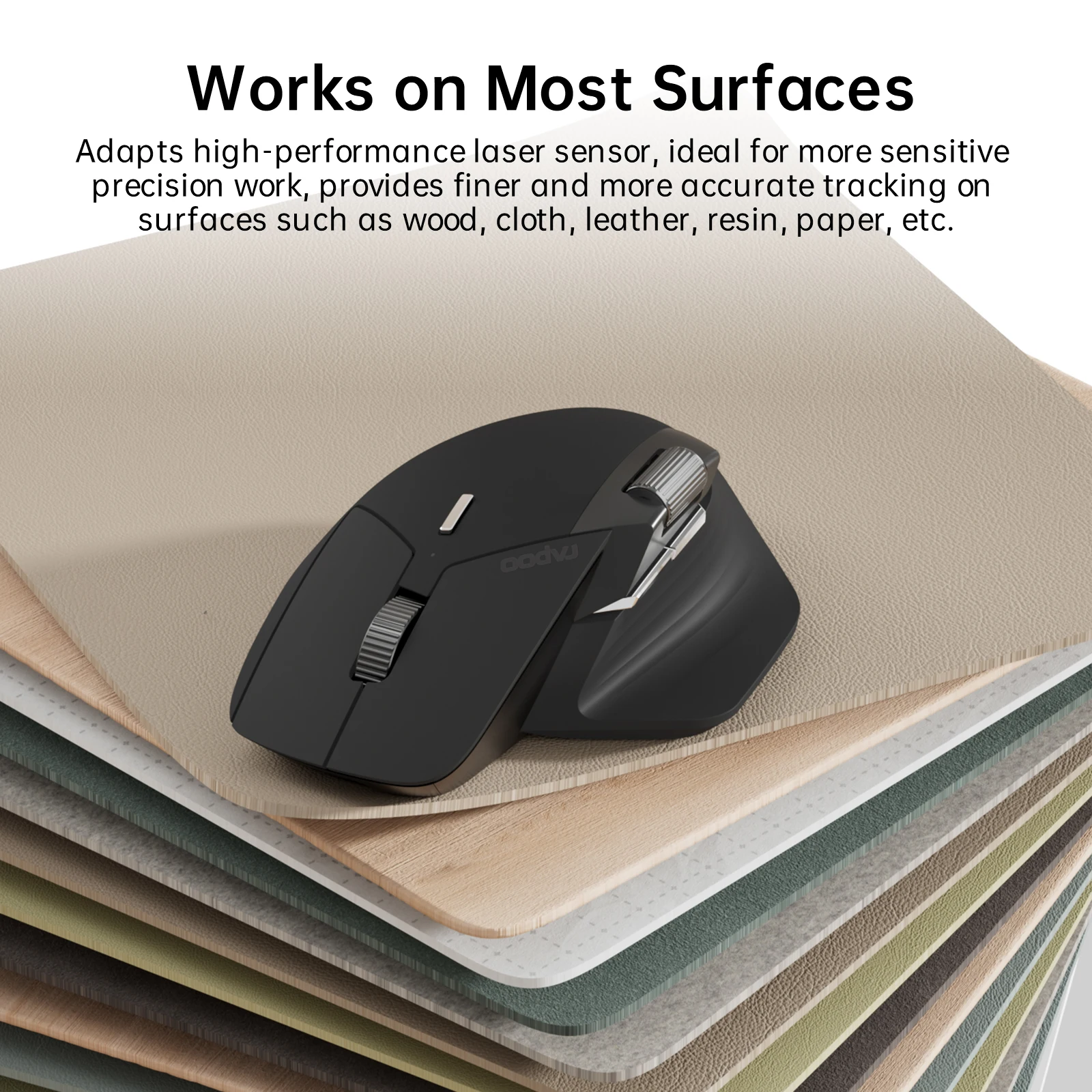
Works On Most Surfaces: Uses a high-performance laser sensor for more precise tracking on most surfaces such as wood, metal, fabric, plastic, paper, etc. [Not suitable for glass or mirrors]. The more advanced laser mouse has an invisible illumination source, so it does not shine a red or green light underneath like most optical mice, helping prevent potential eye discomfort when picking up and turning the mouse on/off, while reducing light pollution on your workstation.
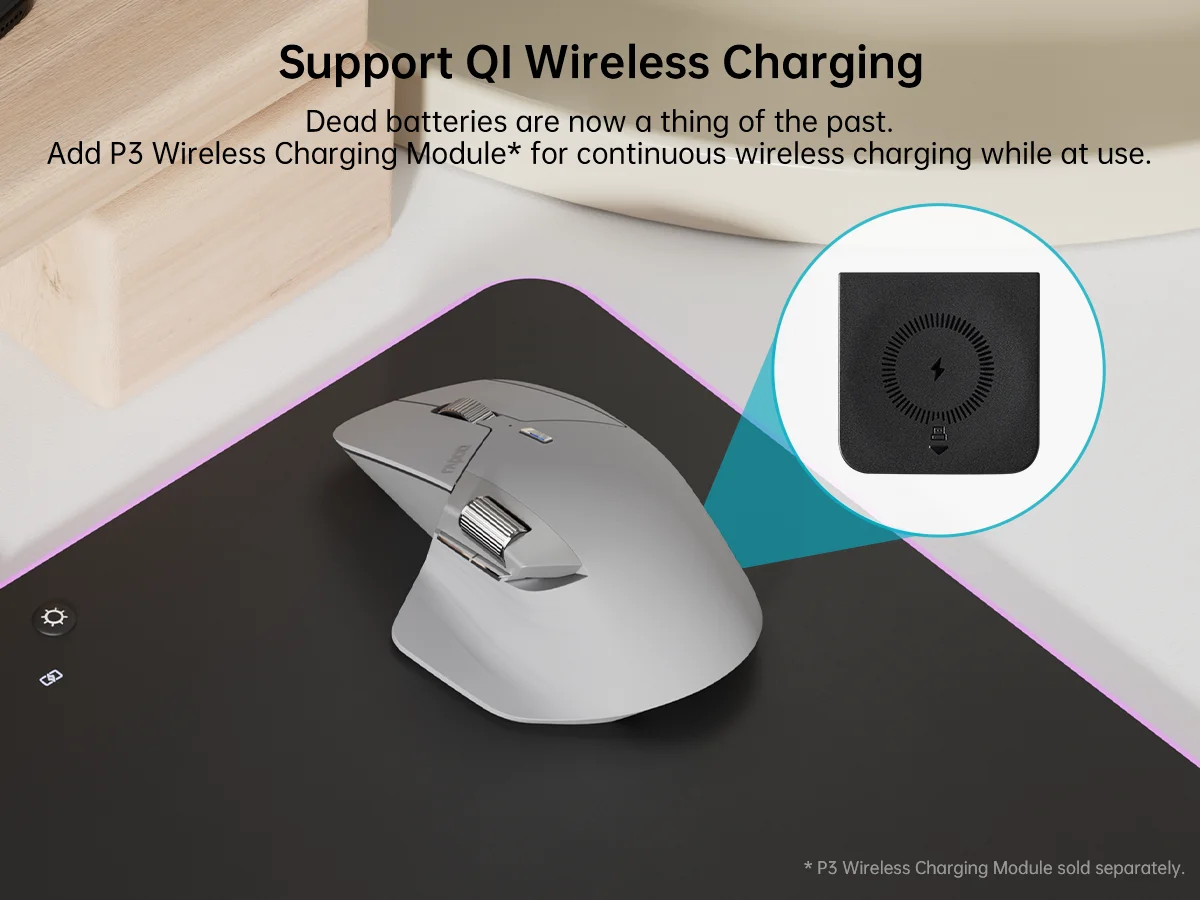
Wireless Charging Enabled: Works with most Qi wireless charging mouse pads. Enjoy an effortless power boost while in use and the convenience of cord-free charging. [P3 Wireless Charging Module must be purchased separately]
7 Adjustable DPI Levels: Preset 800/1000/1200/1600/2400/3200/4000 DPI with 50-interval adjustments via the mouse driver, allowing you to balance precision and speed across different monitors and switch your DPI settings with one-click control.
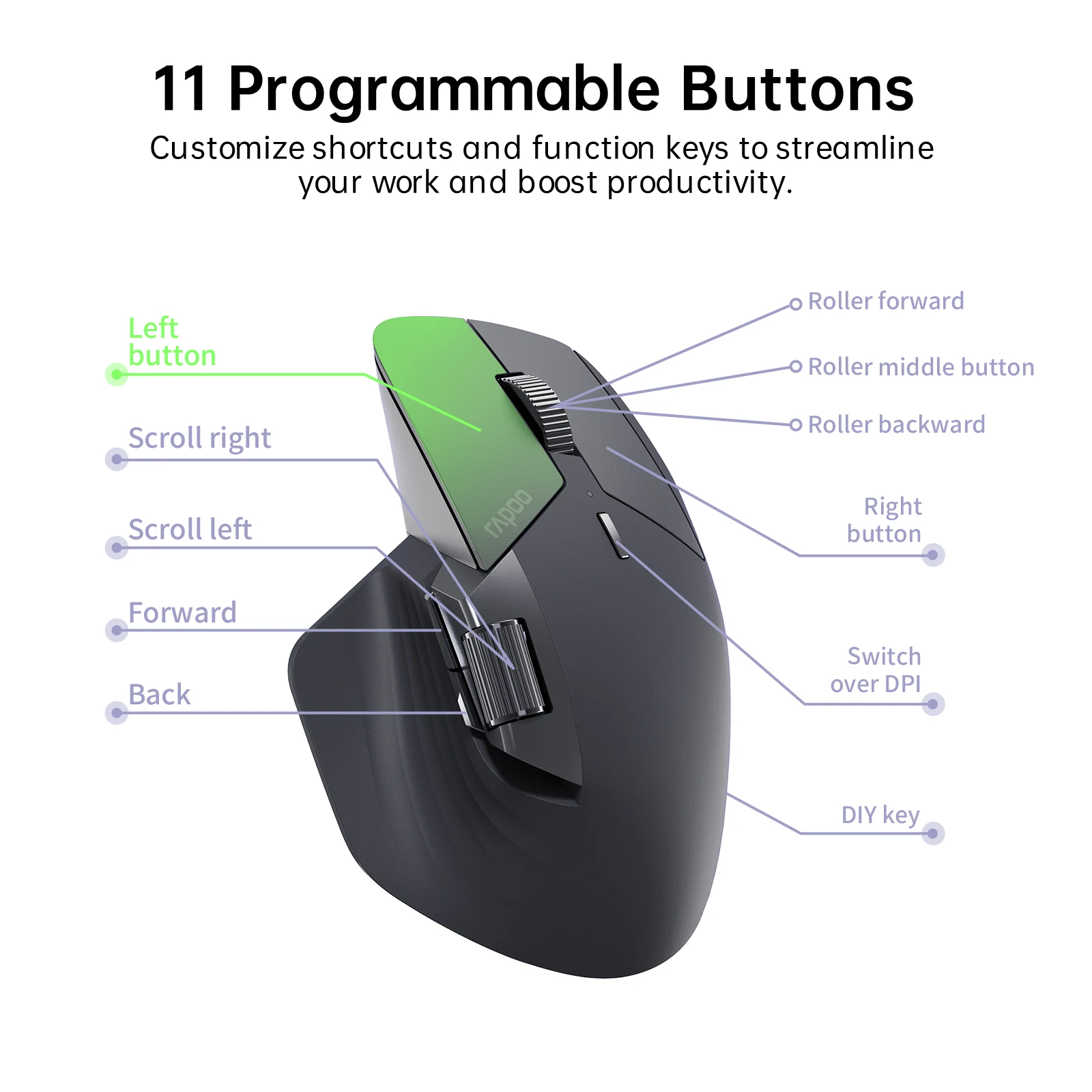
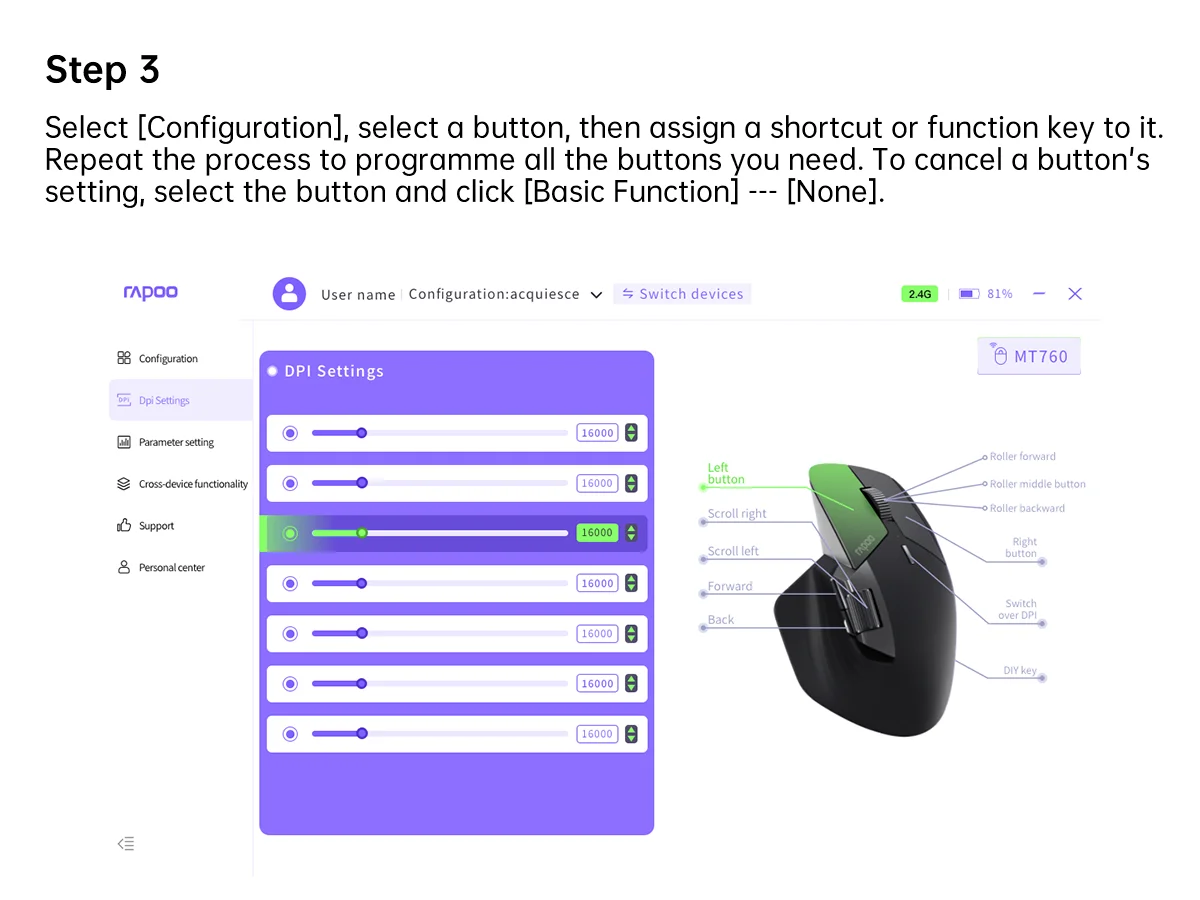
11 Programmable Buttons: Assign shortcuts, media keys, or macros to streamline your work and boost efficiency.
Specifications:
Sensor: Laser
DPI: 800/1000/1200/1600/2400/3200/4000
IPS: 30
Acceleration: 10G
Buttons: 9 (Left/Right Click, Back/Forward, Middle Click, Side Scroll, DPI, Device Switch, DIY Button)
Programmable Buttons: 11
Wireless Technology: Bluetooth 5.0/3.0, 2.4GHz RF
Wireless Operating Distance: 10m/33ft
Battery: Rechargeable 800mAh Li-Po battery
Battery Life: Up to 90 days
Charging Port: USB-C
Charging Time: 3 hours
Battery Indicator:
- Charging: White light on
- Full Charge: White light off
- Low Battery: Red light flashes quickly for 5 seconds
Sleep Mode: 10 min
Wake Up: 2 s
System Requirements: Windows XP/Vista/7/8/10 or later, Mac OS 10.15 or later; with USB-A port or Bluetooth module
What's in the box:
1 x Wireless Mouse
1 x USB-C Charging Cable (USB-A to USB-C)
2 x USB Dongles
1 x User Manual
Note:
1. The M+ wireless cross-screen transmission technology requires Windows 7 or above and wireless 2.4G mode. The mouse is factory-configured with 2 USB receivers.
2. Buyers can achieve cross-screen operation of up to 6 devices through the subsequent purchase of M1M receivers.
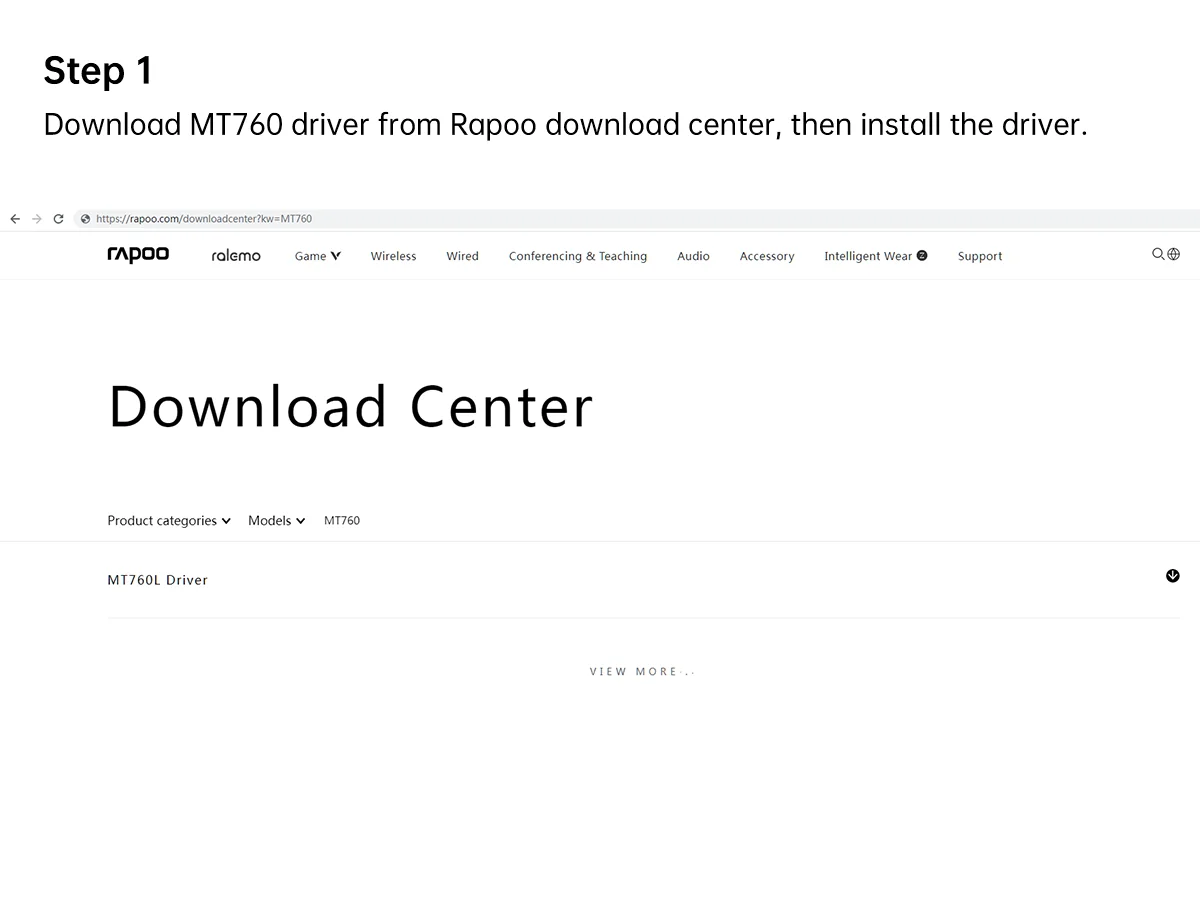
3. MT760 Driver link: www.rapoo.com
(If you can't find the driver, you can leave your email address and we will send it to you)
Driver Compatibility:
1. The driver is only available for Windows systems and does not support Mac
2. Windows version requirements: Windows 7 or later
3. Windows Driver: 11 buttons are programmable in 2.4G mode; no buttons are programmable in Bluetooth mode
4. The driver only runs in 2.4G mode and cannot run in Bluetooth mode.

If the mouse does not work, try the following operations:
Step 1: Download the driver from the official website (www.rapoo.com), Service Support, Download Center, enter "pairing", then download "pairing driver"
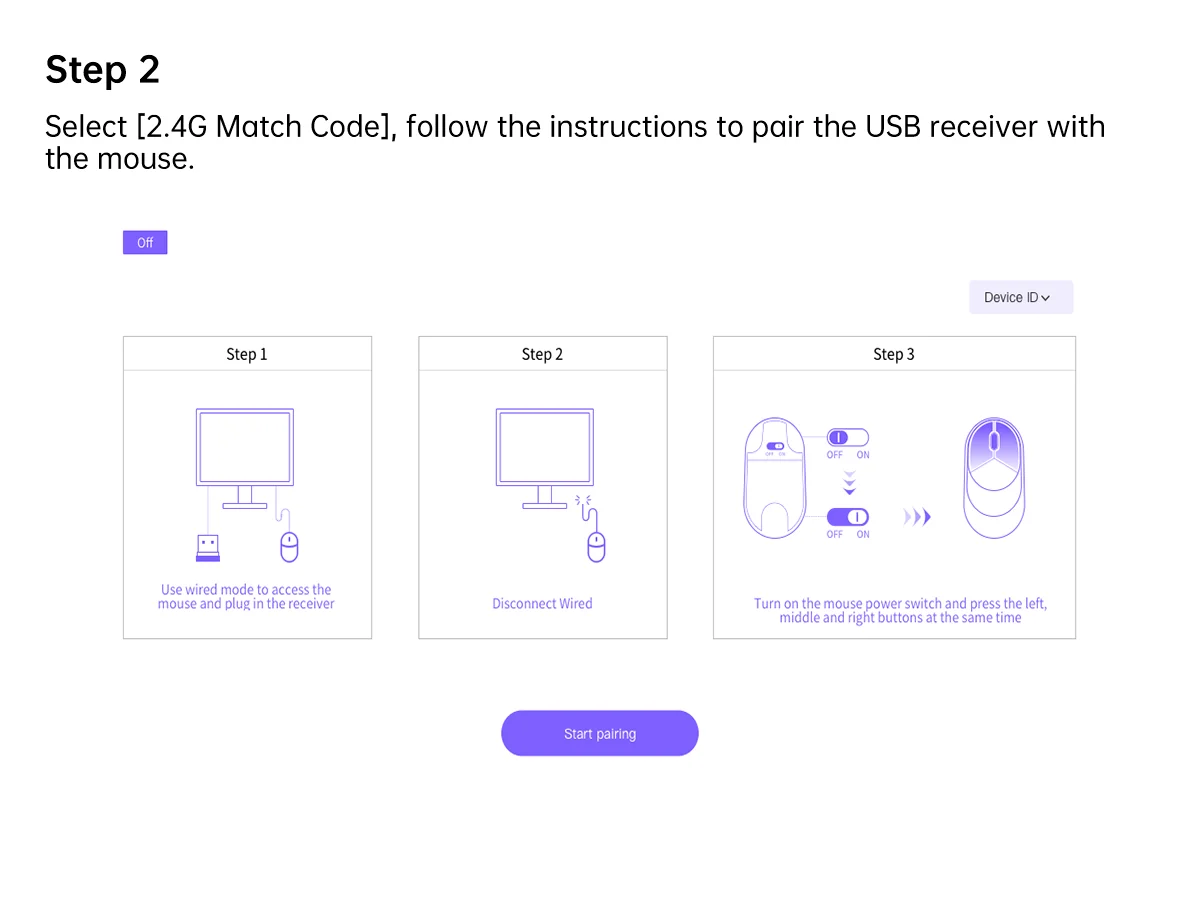
Step 2: Plug the receiver into the computer
Step 3: Turn off the mouse power switch
Step 4: Click the Match Code button and prepare for code pairing
Step 5: Turn on the mouse power switch
Step 6: Please press the left, middle, and right buttons simultaneously
Notice: Please use a laptop computer or a wired mouse to do this. Do not insert other receivers into the computer.
【Warranty】We are the designer and manufacturer of RAPOO mice and keyboards. RAPOO is an international brand, and we are committed to providing customers worldwide with premium products and customer support. We promise your money back if the item you receive is not as described, or if your item is not delivered within the specified time.